This website is a log of my hobbies,
passions and projects. It will hopefully over time fill up with helpful
advice to
encourage, inspire and guide others with similar interests. rab by the
way are my initials Robert Andrew Burke
April:
April
saw the release of a new version of the Ubuntu operating system. Keen
to see if some of the graphics issues I had experienced with my five
year old system had been resolved, I took the plunge and updated to
Ubuntu 13.04
Unfortunately for me I still have issues with my old GeForce 9600 GT
graphics card, that I failed to resolve. Maybe a more experienced Linux
user would have been able to get the system stable, but I wasnt able to
sort out the numerous crashes and system slowdowns.
I have now reverted back to Ubuntu 11.10 which is still rock solid on
my hardware, though took two days to get all my software set-up as I
like it. Its a shame that I cant get the updates to work out of
the box, as I was looking forward to trying some of the improved
software that ships with the newer Ubuntu versions. As my PC is over 5
years old I might bite the bullet and build an new machine with up to
date hardware. I just need to be sure it will be compatible with the
latest Ubuntu.
I have found a little time to continue with the Palm House /
Conservatory project and am becoming much more comfortable with
Blenders new interface. Some of the spare time over the last month has
been used to learn a few techniques for use with the Cycles render
engine. It took a while to work out how to apply image textures and
set-up the material nodes, but it is all very logical once you start to
use the system
Progressing on from last month has seen stone textures applied to the walls and floor.
March:
March
2013 has been the coldest March since I was born in 1962 here in the
UK. The cold weather doesn't inspire me to get outside and and work on
any of the projects I have planned, instead it is a time to be indoors.
Fortunately this has meant some of the very limited spare time I have
can be spen't learning some of the new tools in Blender. An image I
have been thinking of creating for some time is of a Georgian Palm
House styled conservatory and given the weather is so poor and cold it
is nice to be able to create a model and image of something warm.
The basic model was quite quick to construct, though it needs a lot
more work detailing the stonework and adding image textures to add a
degree of realism.
The project will also be a good way to explore the capabilities of the
Cycles render engine and push me to learn how to use the Cycles render nodes
system. At first glance it looks very complex and I imagine requires a lot of
knowledge of the rendering process before you can start to tame it's
capabilities.
The early render above shows the potential of Blender and Cycles and
this is only using a few basic colour materials. Adding image maps to
texture the building and plants will greatly add to the realism of the
image.
This has meant the Modelling Guide Book has taken a back seat for this
month, but some of the models from the Palm House can be used to
demonstrate the modelling techniques used to create them. Modelling the
Terracotta Urn opposite and creating the spiral stairecase, all lend
themselves to having their modelling process described in detail within
the Modelling Guide.
January / February 2013:
It's
been all change on the jobs front for 2013, starting the year in a new
job. I say a new job, but really it is going back to a previous
employer, so not such a steep learning curve. I was pleased to accept
the position of Technical Director with HETAS and return to the
standards and influencing work for the UK's solid fuel and biomass
sector. All the same it has meant a great deal of my time has been
spent catching up with events concerning European Directives, UK
Regulations and standards, that have happened over the past two years.
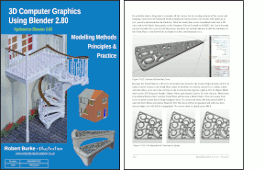
On the Blender front, I have managed to add a few more pages to my new
Blender Modelling Guide and reckon I am well over a third of the way
through. As of the end of February the book stands at 123 pages, most
of the content so far is a reference to the operation of Blenders tools
and modifiers. I am quickly approaching the fun part where I can
demonstrate the use of different modelling techniques. Explaining
techniques through the use of projects is much more rewarding than
simply documenting the operation of the various tools.
The blender foundation have been extremely busy over the past two
months and have again brought out a new release of their 3D modelling
and animation software. Version 2.66 is now available for download from
the Blender website.
This version brings a number of new features the highlights of which include:
Hair rendering support in the Cycles render engine.
Dynamic topology sculpting
Rigid body physics calculations in the editor and animation system.
I have been waiting for the Blender Knife tool to support cutting
edges that don't belong to a specific face and snapping to orphaned
vertices. Both these operations are important for laying out an
accurate mesh structure, but still sadly lacking from Blenders
tool-set. It looks like it will be a long time before these features
become available again so I have had to bite the bullet and modify
the 608 Bearing Tutorial to suit Blenders current tools. Hopefully you
will find the modified tutorial useful
608 Bearing Tutorial Updated to Blender 2.6x series.
November / December 2012:
December 10th saw another release of Blender, with Blender 2.65 bringing some
great new features and
improvements. This release sees the introduction of flames within the
smoke simulation and adaptive domains, allowing the smoke to travel
with animated objects.
The
mesh system has also had some work done to greatly improve the
operation of edge bevel and a new Simetrize feature has been added that
can be accessed from the W menu.
The Cycles Render Engine has seen the addition of motion blur and some
new shaders added, including anisotropic which will allow a better
visualisation of brushed metal surfaces.
I have continued to add to my Blender 2.6x guide book and as I am
writing this I have just passed 100 pages. I am still working on the
Modelling
reference section, explaining Blenders most commonly used modelling
tools. Whilst writing up an explanation of the array modifier I had
given a few examples of different array modifier usage and one of the
examples uncovered a problem causing Blender to crash.
The Staffordshire Knot opposite uses a model of a single turn of rope
arrayed to a BezierCurve with two different end caps. I noticed that
once a Subdivision Surface Modifier was added to the rope's Modifier Stack Blender
would crash when Tabbing into Edit Mode.
Its impressive to know that the Bug was reported on 15th December and
was corrected by the time Blender 2.65a was released 5 days later.
The developers really need to be congratulated on the rate they are closing bugs in the program.
To see what has been covered so far in the Modelling Guide you can dowload the contents page's from here
October:
Its
been slow progress on the Blender 2.6x Guide Book. I am about 20% of
the way through the information I would like to include in this volume,
which will cover the basics of mesh modelling. Luckily this is an
ongoing personal project so I am not under any time constraints from
publishers.
In the true spirit of Open Source computing, this book is using,
wherever possible open source tools in all aspects of it's production.
The computer I am using to write the book is powered by the Ubuntu
operating system, all images were created using a combination of
Blender and Gimp and the book was written using the powerful
Libreoffice word processor.
The intention is to create a book that is formatted in a way that suits
print on demand publishing, allowing the purchasers to have a well
formatted printed learning aid for Blender, without the added overhead
of a publishing company.
The deadline I had set myself to complete the book by the end of this
year won't be achieved, but
I am hopeful that in the first half of
next year it will be ready. The book will hopefully be a useful and
very affordable reference and learning aide for many new Blender users.
September:
This month I thought I would report on something a little different.
Having given up on active sports over 15 years ago, following some
serious lower back problems. I dedicated a great deal of my time to
retrain myself in more academic subjects. In effect I had restructured
my life so that it didn't involve getting into situations that brought
on the intense back pain I used to suffer. I gave up cycling, mountain
bike racing and road running for sitting at a desk designing or
organising others in the various rolls I have been employed in. This
sedentary lifestyle hasn't done me any favours health wise,
though the back has stabilised and no longer gives me the
problems it used to. The lack of physical activity contributed to me
suffered an ocular stroke almost two years ago. Since then I have
changed my diet and started increasing the amount of exercise,
culminating this month in in a day on mount Snowdon with my son Tom.
Having walked to the summit of Snowdon several times in my younger
years,
I had never had the opportunity to walk the Crib Goch ridge. I would
like
to think I was taking Tom to the summit, but the reality is he is far
more experienced at hill walking and mountaineering than me, having
done
the three peaks only two months earlier. My lack of fitness certainly
slowed things down, but I did it and can honestly say I have not felt
so
alive and exhilarated for at least 20 years. Its a great sense of
achievement to tick off three of my lifetime ambitions all on one day:
to walk Crib Goch, to be on a mountain and look down on clouds below me
and to
be at the summit of snowdon on a clear day.
July / August:
It's really difficult to find time between running a Trade Association
and finishing off a some long overdue construction projects, so
progress on learning Blender is very slow. Over the last two months I
have only managed to add 12 pages to the Blender 2.6x Guide Book I am
writing. but at least I have a solid start and structure to work on.
Back
in 2009 I wrote a short article on
the creation and rigging of my JCB
model. Following the article going live, I received a number of
requests for a tutorial on how I animated the hoses using only curves
and hooks.
I must admit it has been a while, but this is a good subject to break
me in to writing tutorials for the Blender 2.6x interface and way of
working.
The tutorial is very short but should be easy to follow if you have had
a little experience with the new Blender interface and basics of using
the program.
June:
This
month I have been bogged down dealing with the typical EU and UK
bureaucracy that makes doing almost anything fraught with danger. This
is not because things are necessarily dangerous, but because Government
Departments make unnecessary rules that have to be complied with. Even
hobby sites like this must comply. The bone of contention this month is
the UK's Cookie Policy requirements. We now have to inform all users if
we use cookies and give them an option to opt out. If we don't comply
the government may impose massive fines of up to £500,000. I cant
afford that so I have spent some time researching and carrying out a
Cookie Audit, I have added a Cookie Policy
with a link from the main menu above. Hopefully this will be enough to
keep the wolves at bay. For info, the only cookies used are from
Google Analytics to see how many people visit this site. I am pleased
that I have almost reached 1,000,000 page views since starting.
Progress
with relearning Blender is moving forward, not only am I
becoming familiar with the new interface, but I am also uncovering a
few new features that I haven't found much documentation for. One of
these is Linking of Instance Groups, that allows you to determine which
group is visible in the scene when you link to data from another file.
Sago on Blenderartists pointed me to a video tutorial
from the Sintel open movie that demonstrated the process well.
When "Instance Group" is selected and you link in a group of objects,
the objects are visible in the scene. With "Instance Groups" unchecked
the group will still be imported in to the scene but won't be visible.
A useful feature when you are importing both a high and low poly mesh
of the same model and you only want one visible in the scene.
Whilst
learning the interface and new features, I am also documenting what I
learn for a
guide book and future tutorials, specifically for modelling in the
Blender
2.63 series. So far I have brushed up my skills with LibreOffice
and set
up a Book template where I am already at page 33. I expect to be able
to
document all the features I want to cover into the book which I expect
will end up at around 350
pages. Hopefully, free time permitting I will be finished towards the
end of the year.
May:
I had a look back through the Guest Book this month and I must say a
really big thank you for all the positive comments and encouragement I
have received and am still getting for the old Blender Guide.
If you drop into my site from time to time, you have probably noticed
the core Blender content on the site has been a little lacking over the
last three years. Up until May 2009 I ran a product development office
and architectural specification service for a large building products
manufacturer, regularly using 2D and 3D CAD software. Over a number of
years I had introduced Blender into the work-flow, mainly for making
product visualisations, but increasingly to produce graphics for sales
brochures and presentations. The recession in 2009 meant it was a
favourable time for me to change jobs and moved to HETAS, provide a
technical service to the UK's domestic solid fuel and biomass
sector. The work was much more clerical, with standards writing
and fighting unworkable regulations occupying most of my time. There
was still a little time available to work with Blender, adding graphics
to many of the guidance documents I was writing. Unfortunately the
office was a 140 mile round trip from home and typically took 3 to 4
hours to do the journey. This ate into my free time and meant my
personal creative projects had to take a back seat. In May 2011, I
changed jobs again this time moving closer to home to ICOM Energy
Association; providing support to the commercial heating sector, the
intention was to take over the running of the association from the
previous two staff. In October I became Chief Executive and besides
maintaining the same level of service for members, have developed a new
Website and restructured some of the activities to work more
efficiently. However this has also come at a significant cost to my
personal time, though hopefully over the coming months, this will
reduce.
During the three years I have been inactive, Blender has changed
significantly and the new interface and modelling system means my
guides are well out of date, along with my knowledge of using the new
interface and tools. So I feel now is the right time for me to relearn
Blender and reintroduce some creativity into my life at the same time.
As part of the learning process I have started documenting my progress
into what will hopefully be a well structured and easy to understand
guide book. The intention is to try and finish the guide book by
Christmas this year, but that is dependent on how much of my personal
time is absorbed into my job. Keep a look out over the next few months
to see how I am progressing.
March / April: It's been a busy time for the launch of
new software, April sees
both a new version of Blender and an updated Ubuntu operating system.
Unfortunately I made the mistake of upgrading my operating system to
Ubuntu 12.04 too soon. Having used Ubuntu since 2008 and all 7 upgrades
since then having gone without a hitch, I decided to upgrade to 12.04
on the day of release. Unfortunately this upgrade was the 1st that had
issues with my hardware and what seemed to be issues with the Nvidia
graphics drivers, meant my system crashed for the 1st time since
building it in 2009. Stability was a big issue and Blender wouldn't run
without locking up the computer, so I decided to reload the operating
system, reverting back to Ubuntu 11.10.
Its not until you do a clean install that you realise just how many
little tweaks and customisations you have done. My previous install had
been upgrades from the initial Ubuntu 9.04, with that version you could
add desktop launchers.
It was easy to add a
launcher to the unzipped Blender builds I had on
my computer. The unity interface of Ubuntu 11.10 no longer has this
ability built in, but fortunately I found a workaround on the Ubuntu
Geeks website.
The process was to install the "gnome-panel package" by typing the
following in the terminal.
sudo
apt-get install --no-install-recommends gnome-panel Then run the
following command in the terminal
gnome-desktop-item-edit
~/Desktop/ --create-new
That opens the create launcher window above. Give the launcher a name,
I have used the version of Blender as I still occasionally use
different versions for different jobs. Click the brows button and
navigate to the program launcher in the folder where you have unzipped
the version of Blender , click OK and it will add the launcher to your
desktop.
It's been a valuable lesson in patience. Next upgrade I will wait a few
weeks for any bugs to be sorted before I install programs in the future.
The problems with the
operating system, has meant that I haven't had
much time to look at the latest Blender 2.63 release. Having only spent
a few minutes looking at the new Bmesh modelling system, I must say I
am impressed with its functionality, but admit it is going to be a
complete new learning process to be able to push the system to its full
potential.
Now if only I could get the time to explore all the new features that
have been included in blender since the upgrade from Blender 2.49
January / February 2012: It's been an exciting start to the year
for users of Blender,
especially those interested in modelling. Firstly Blender 2.62 was
released on 16th February bringing some great new tools such as Motion
Tracking, Render Layers and Passes in the new Cycles render engine and
the Remesh modifier, to name just a few.
This has been quickly followed by a commitment to add Bmesh to the next
releas of Blender which is expected in April. If you haven't been
watching the development of Blender, Bmesh is the new modelling system
that will modernise the modelling function of Blender. Since Blender
2.5 series the modelling tools had become quite limited and it wasn't
possible to model objects with the same efficiency as could be done in
the Blender 2.4 series. With the introduction of Bmesh many more
modelling tools will become available.
Having downloaded a recent development build of Blender from the Bmesh
branch, I thought I would have a go at recreating the 608 Bearing using
the new modelling tool set.
This
is the first time I have been able to recreate the precision modelling
process since Blender 2.49. Though the tools are a little different and
so some new techniques will need to be developed, but my first
impression is this new development will significantly speed up
modelling.
As a development build it is still a bit buggy, though it never crashed
once whilst I was modelling the bearing. Some of the useful tools from
Blender 2.49 are not developed yet. I used to model using edges to
build the profile and the knife was often used to trim edges, snapping
the knife cut to vertices. This isn't possible at the moment as the
knife only cuts edges that belong to a face.
One big advantage is that the new Bmesh system allows polygons with
multiple vertices (detailed on the image on the right where the
highlighted face has five vertices). This will be a great advantage for
hard surface modelling.
I
imagine that once Blender 2.63 is released the modelling system will be
sufficiently developed to recreate the 608 Bearing tutorial for the
Blender 2.6 interface.